Turn questions into something you can read and come back to.
Ask a question in the app or from your own agent, and Seply Learn builds an Expedition about it recording the concepts and how they relate as a kind of instant wiki. You can then read it as a map, a timeline or a learning path, and keep adding to it with your agent and the people you share it with.
Signing up is free. Anyone can read a public Expedition without an account.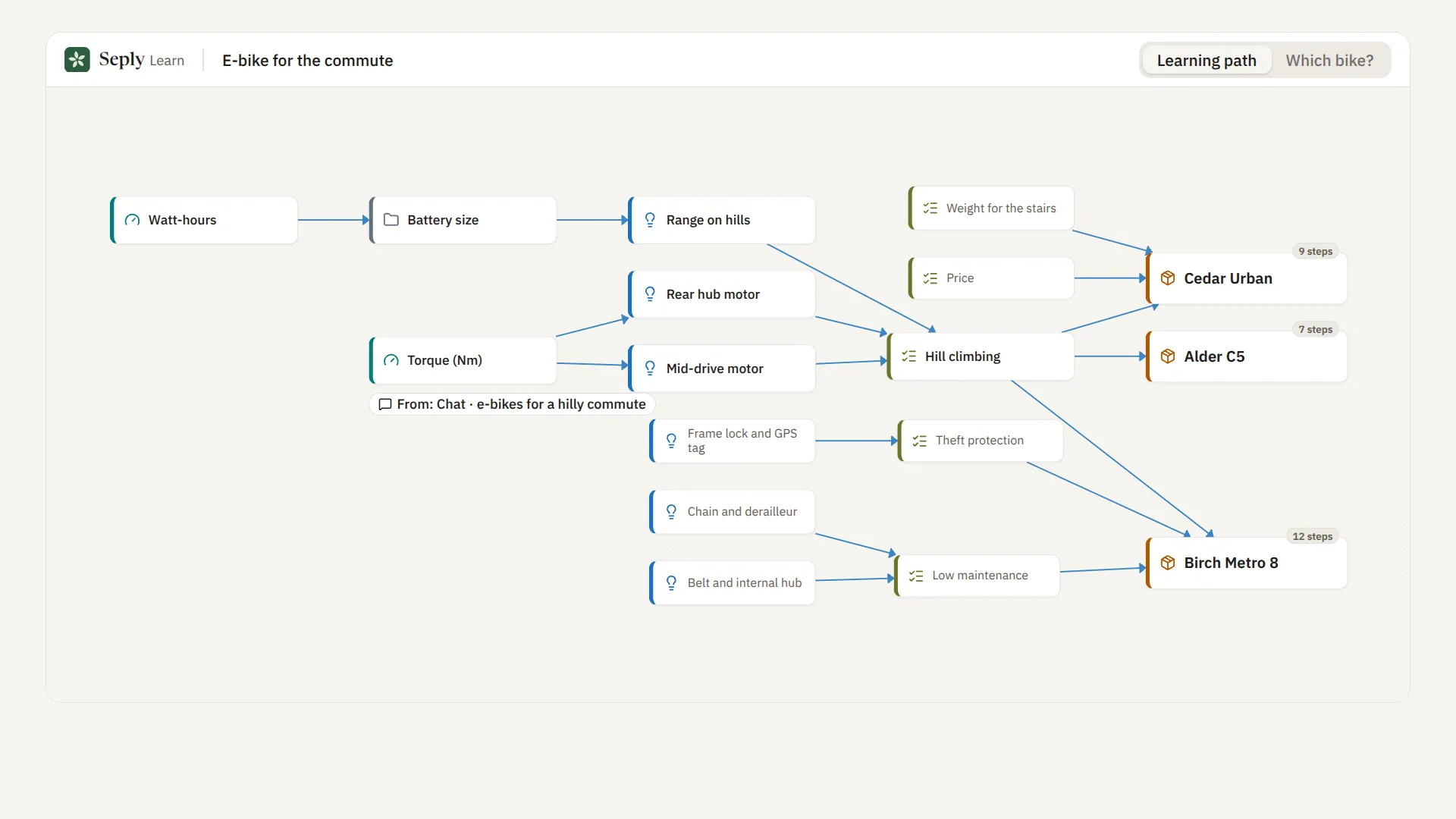
Seply Learn turns a question into something you can study and come back to.
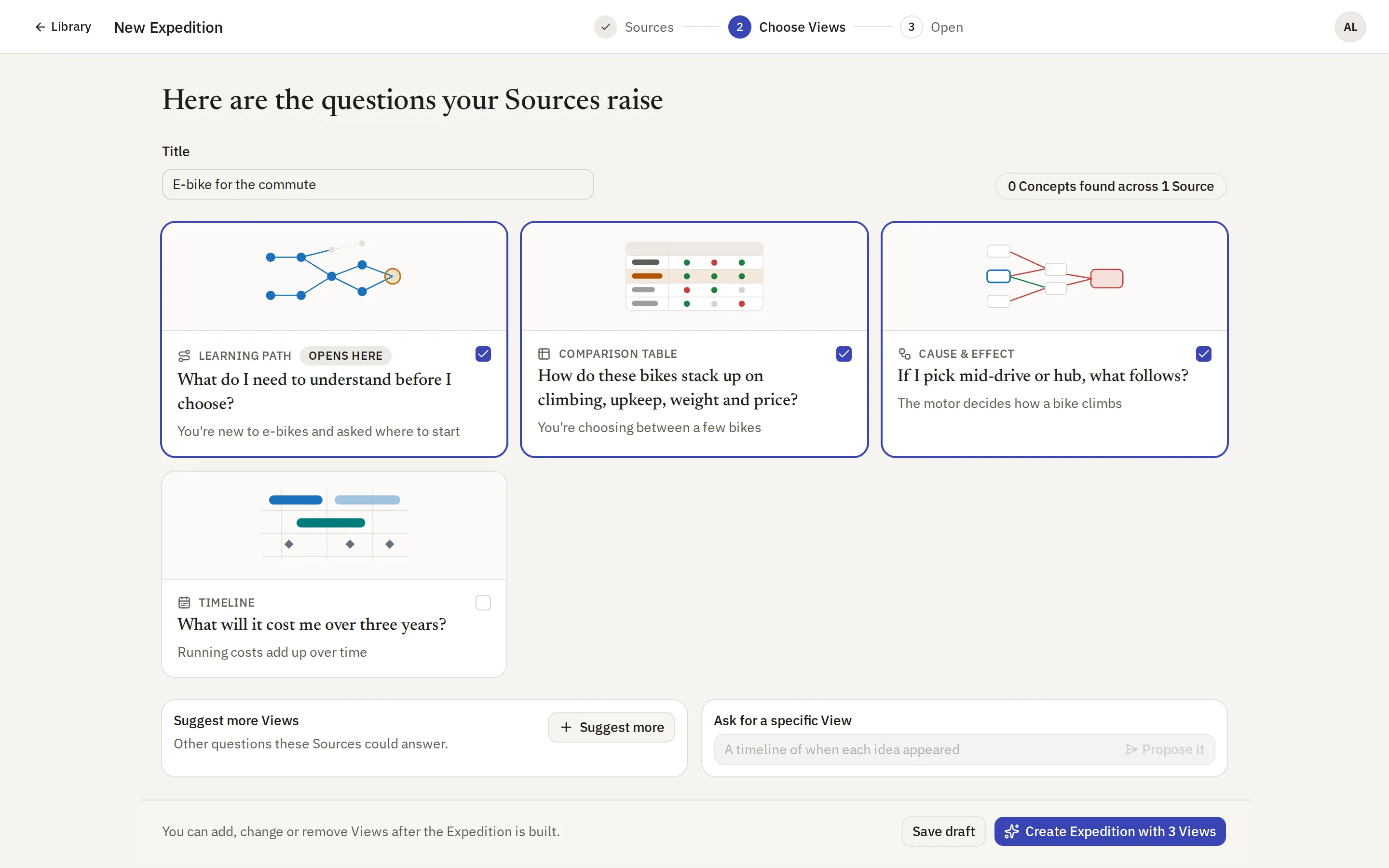
1. Start with a question
Ask in the app, or ask your agent through MCP. If you already have chats, files or links on the subject, you can add them too.
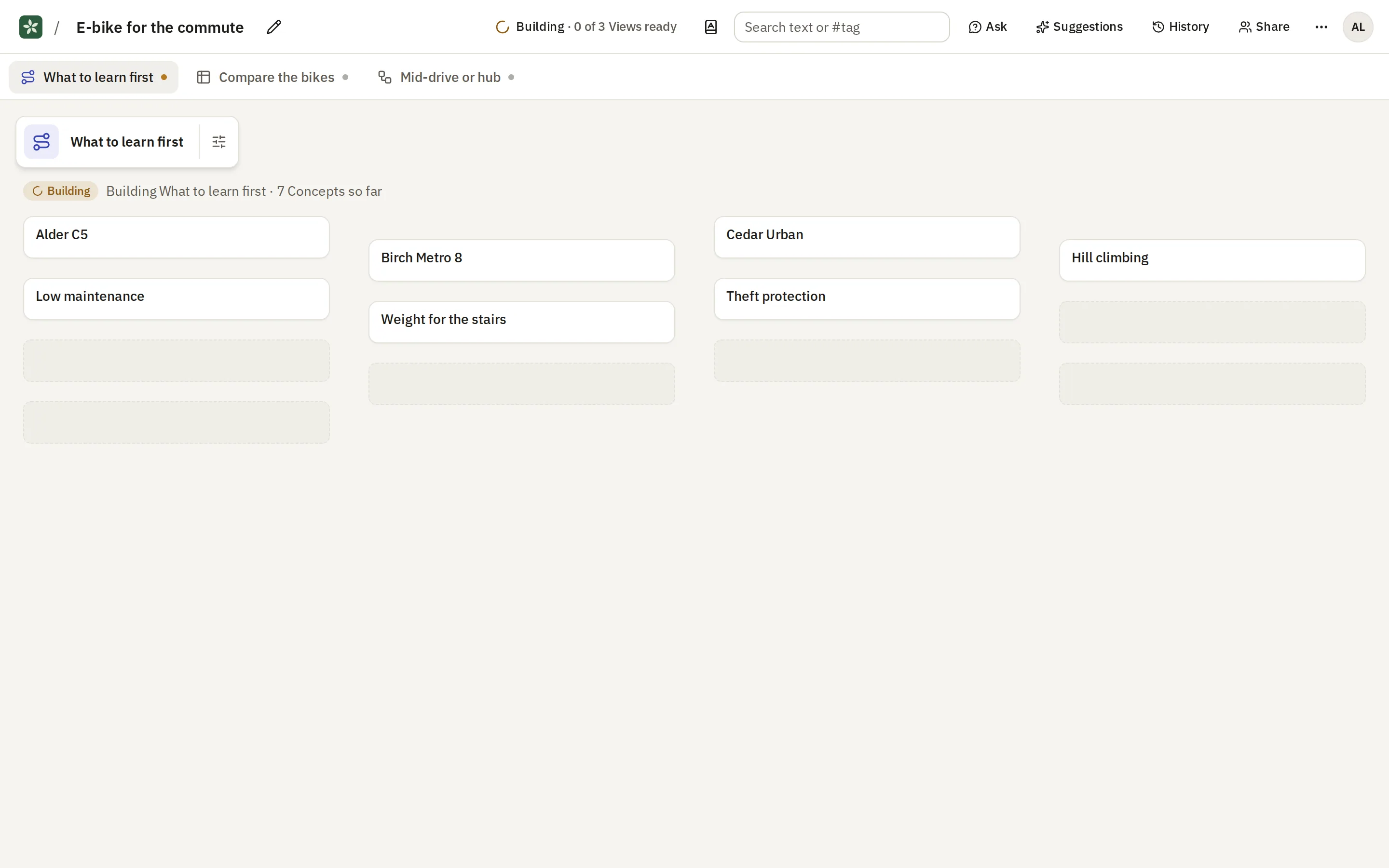
2. Seply Learn builds an Expedition
The curator works out the Concepts involved and how they relate to each other. It notes where each one came from, so you can check it.
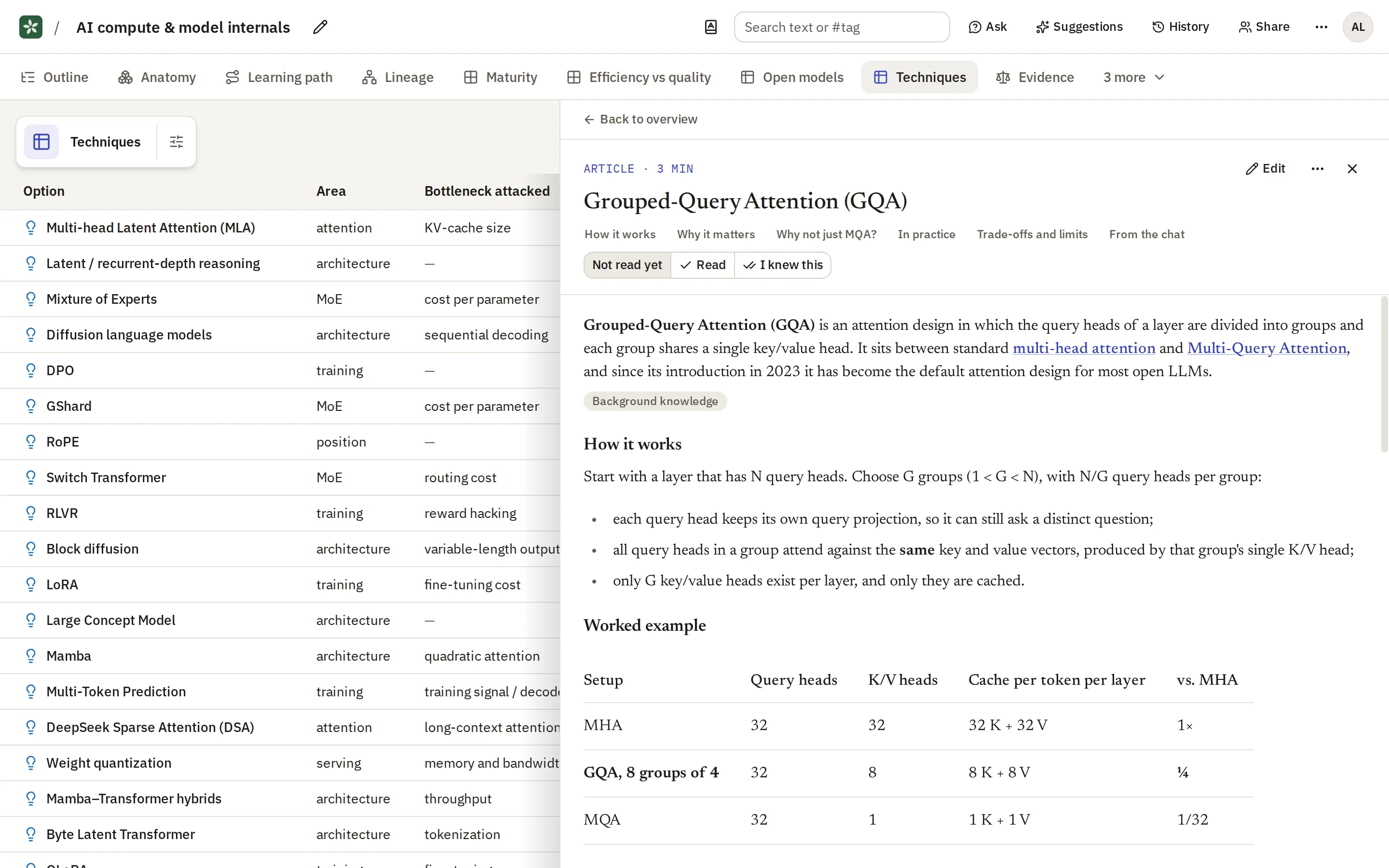
3. Read it in the way that suits you
Each View answers one question, such as what to learn first or how two options compare. Views are laid out automatically from the same Concepts, so they stay up to date as the Expedition grows.
A one-minute introduction to Expeditions
The video follows a question as it becomes an Expedition, shows a few of its Views, and shows how you review an agent's suggestions.
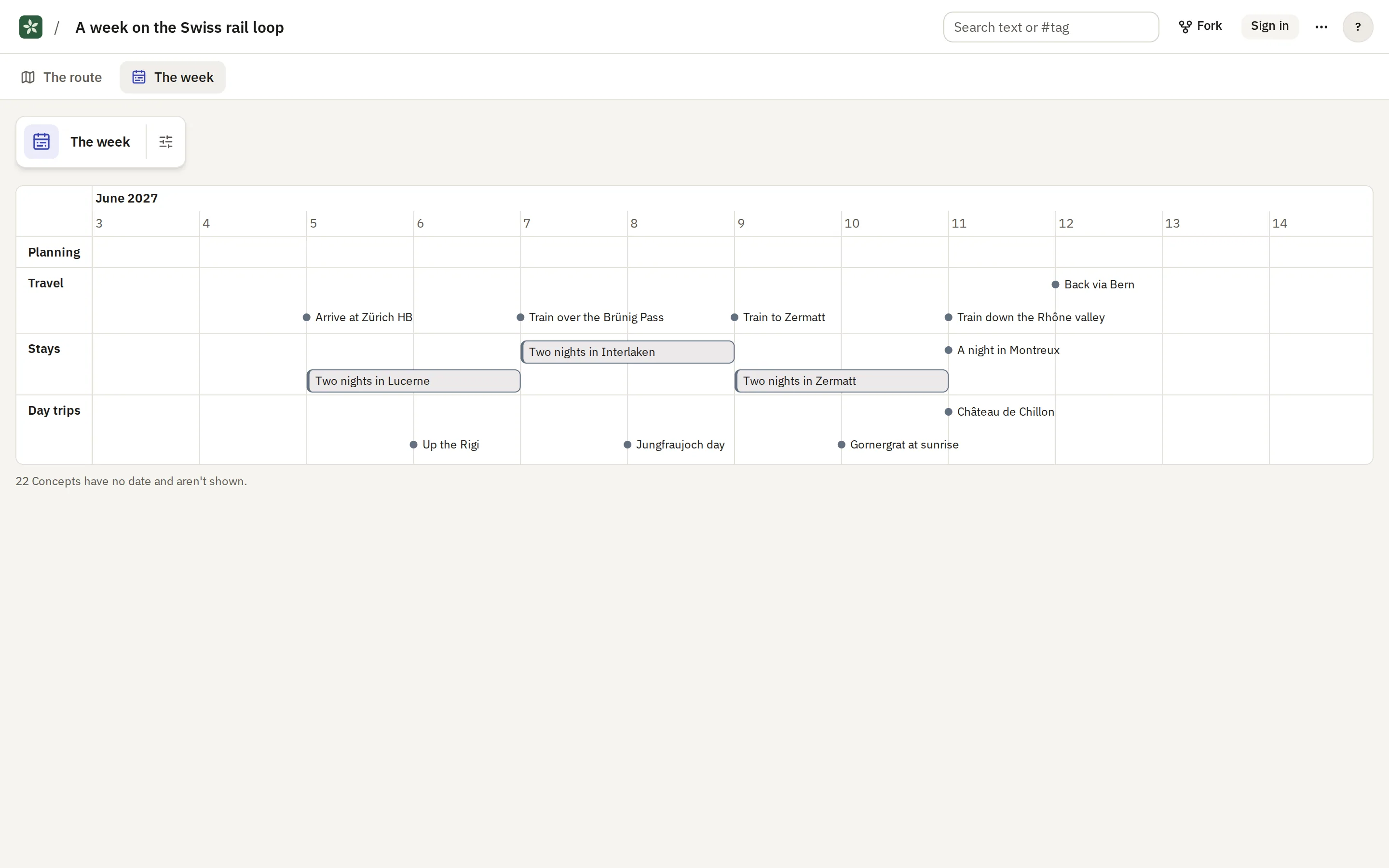
You can read the same Expedition in several ways
Each View is built to answer a particular question about the Concepts. When you have a new question, you can ask for a new View.
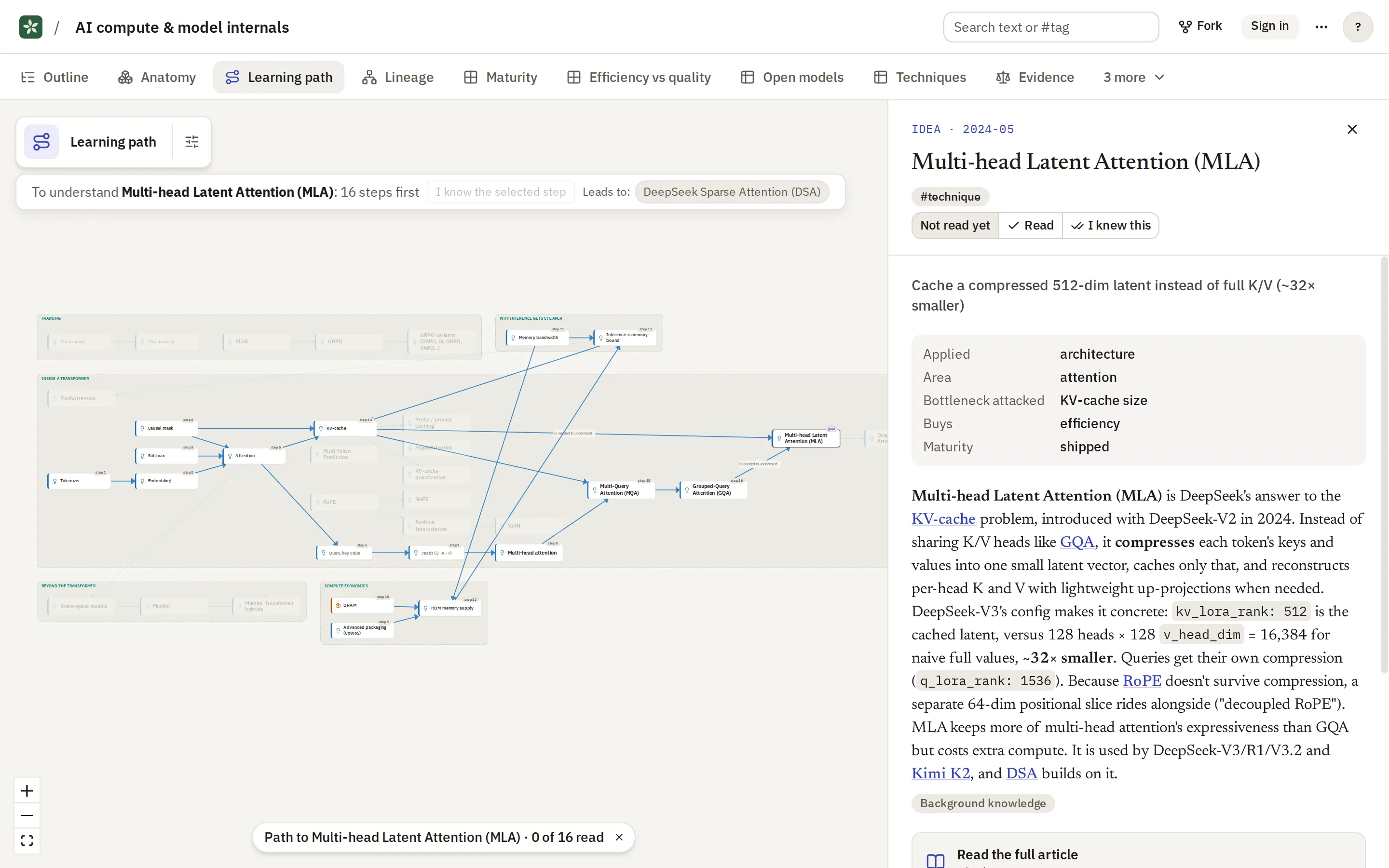
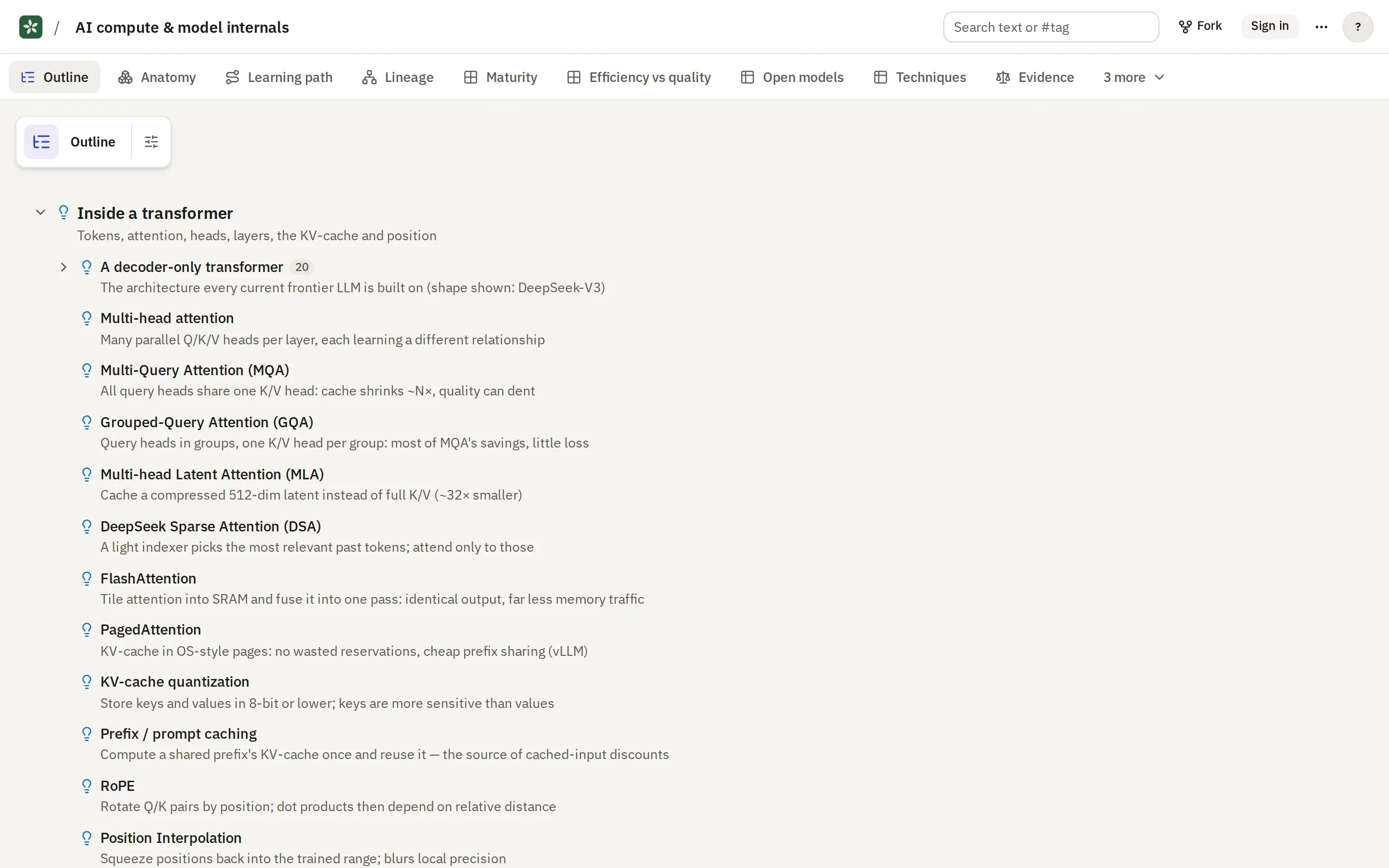
Every technique and the foundations they share. Click one to see what you need first, in order.
Open this View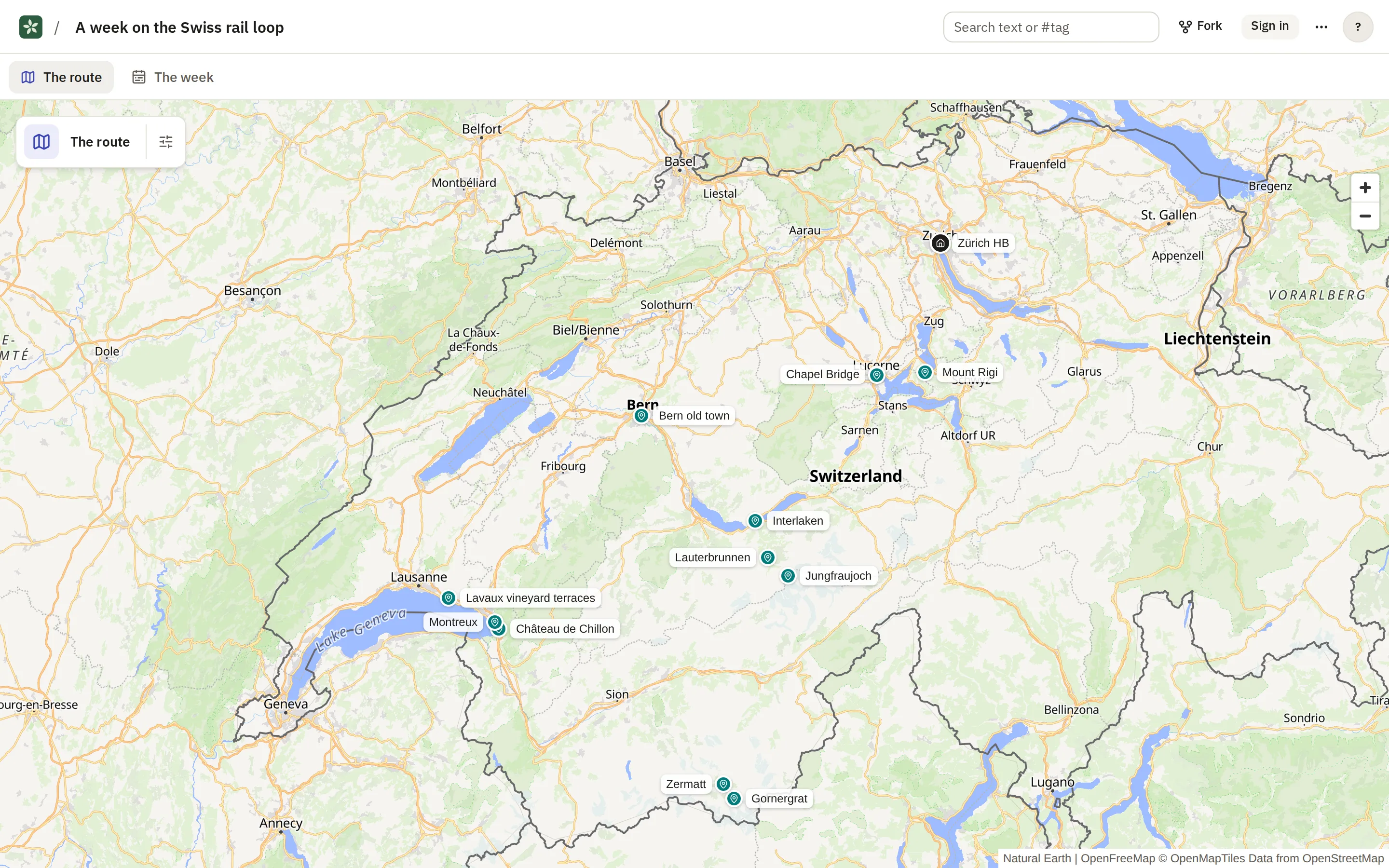
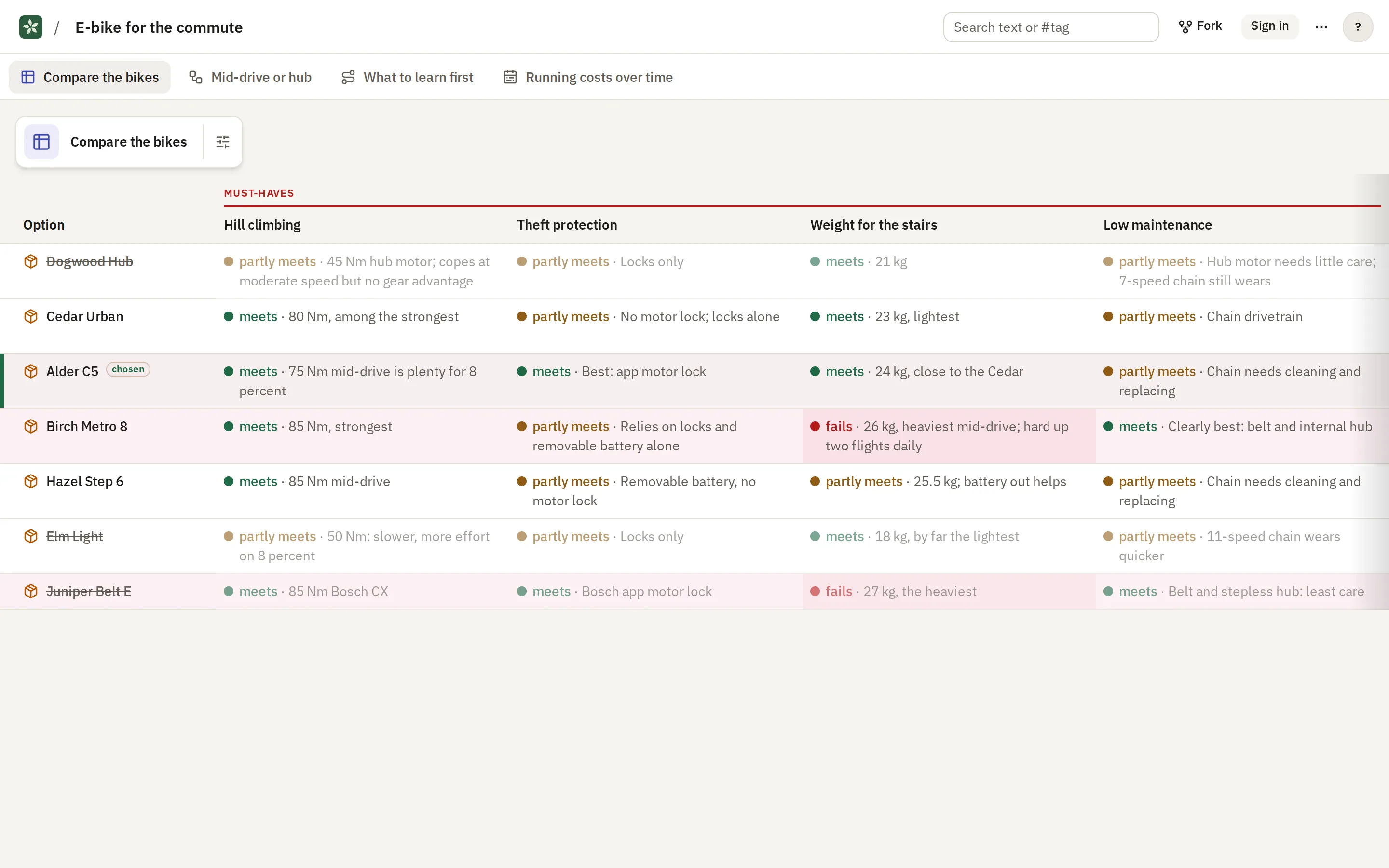
How do these bikes stack up on hill climbing, maintenance, weight, theft protection and price?
Open this View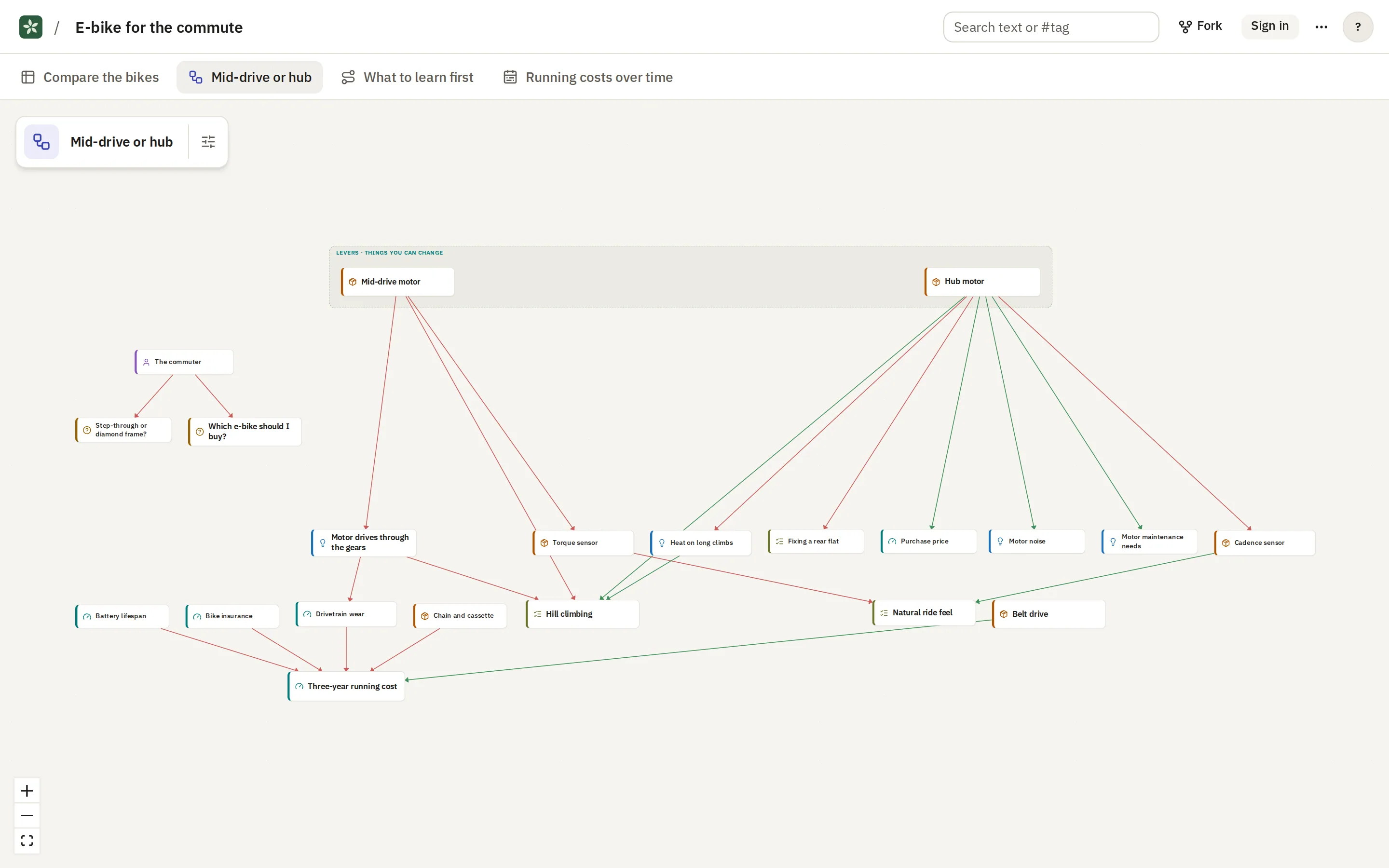
If I pick mid-drive or hub, what follows: how steep I can climb, how quiet the ride is, what maintenance I face?
Open this ViewAgents can add to an Expedition, and you review what they add
Changes from agents wait for your review
The curator in the app and your own agent through MCP both make suggestions instead of editing directly. A suggestion has a dashed amber outline until you accept or dismiss it.
Use it from Claude Code
Install the seply-learn plugin and sign in once. After that you can ask your agent to make an Expedition from the conversation you are having, or to add to one you already have.
/plugin marketplace add mshafir/seply-learn
/plugin install seply-learn

> Make an Expedition from what we just discussed.
Read the MCP guide
Read and edit with other people
- You can see who else has the Expedition open and which View they are looking at.
- Each person is an owner, editor or viewer, and a link can be private, unlisted or public.
- Every Change is kept in a history, so you can undo it or go back to an earlier state.
- You can fork any Expedition you can read and carry on with it as your own.
Some public Expeditions to look at
You don't need an account to read these.
You can also run it yourself
Seply Learn is open source under the MIT licence. It runs from one Docker Compose file with your own AI key, and people sign in with an email and password.
curl -LO https://raw.githubusercontent.com/mshafir/seply-learn/main/docker-compose.yml
cp .env.example .env    # add your AI key
docker compose up -d
Use it in its own window
The desktop app opens learn.seply.app, or your own server, in a window of its own. It works on macOS, Windows and Linux.
Version 0.1.1. Also: Windows on Arm (.exe), Linux AppImage (x86-64), Linux AppImage (Arm), Linux .deb (Arm). Release notes
The builds aren't signed yet, so your system will warn you the first time you open the app. The install steps say what to do.
Start with a question.
Sign in with Google to create an account. Then connect the AI agent you already use, or add your own API key, and ask your first question. You can read public Expeditions, and anything shared with you, straight away. If you'd rather run it on your own machine, you can self-host it.
Sign in